Best AI Video Editing Tools 2026: From Beginner to Pro (Honest Guide)
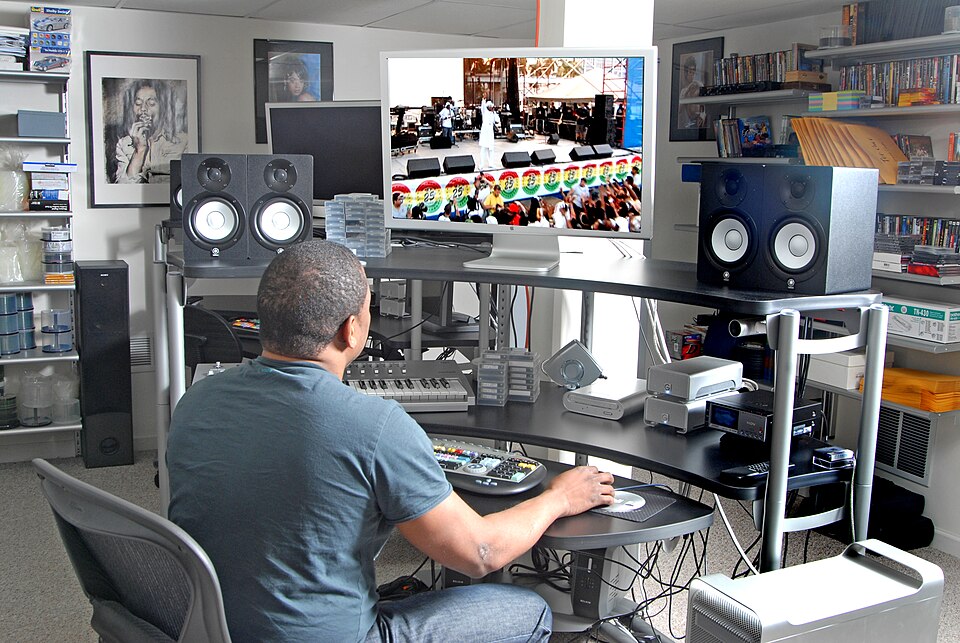

I've been making videos for six years. Tutorial content, travel vlogs, product reviews, short films — I've done all of it, and for most of that time I spent way too many hours on tasks that should have taken minutes. Cutting out silences manually. Re-timing music. Removing backgrounds frame by frame. Typing out captions by hand.
That's mostly over now. Not because AI has made video editing trivial — it hasn't — but because the best AI video tools in 2026 have genuinely automated the tedious parts. What I want to give you here isn't a list of features copy-pasted from product pages. It's an honest assessment of what actually saves time and what's still mostly hype.
I've used every tool on this list. Some I love. Some I tolerate. One I've mostly abandoned. Here's the breakdown.
The 8 Best AI Video Editing Tools in 2026
1. CapCut — Best Free AI Video Editor
CapCut started as TikTok's companion editor, and it still dominates short-form content creation — but it has grown into a genuinely capable desktop editing suite. The AI feature set is absurdly generous for a free tool: auto-captions in 20+ languages, one-click background removal, AI-powered noise reduction, auto-reframe for different aspect ratios, and a Script-to-Video tool that turns a text prompt into a rough draft video with stock footage and voiceover.
The quality ceiling is lower than professional tools — you're not going to do serious color science here — but for social content, YouTube Shorts, and anyone just starting out, CapCut is the obvious first stop. The Pro subscription removes watermarks and unlocks more AI credits, but the free tier is generous enough for most creators.
Best for: Social media creators, beginners, anyone on a budget who wants AI features without paying for them.
2. Runway Gen-3 — Best for Cinematic AI Generation
Runway is where AI video editing stops being a convenience feature and starts being a creative medium in its own right. Gen-3 Alpha — the current model — can extend shots, remove objects, swap backgrounds, and generate entirely new footage from text prompts with a visual consistency that earlier models couldn't touch. The "Act One" feature lets you drive character animation from webcam footage, which is genuinely wild to use the first time.
The pricing model is credit-based, which can feel opaque until you understand that most generations cost 5–50 credits and the Standard plan ($15/mo) gives you 625 credits per month. Heavy users burning through generation credits will hit walls and need the Pro plan at $35/month. That's not cheap, but nothing else produces this quality of AI-generated footage right now.
Best for: Filmmakers, music video directors, content creators who need original AI footage rather than stock video.
3. Adobe Premiere Pro — Best for Professionals
Adobe has been aggressively shipping AI features in Premiere Pro, and in 2026 the best ones are legitimately useful rather than demo-ware. Generative Extend uses Firefly AI to add frames to the beginning or end of a clip — invaluable for hitting a music cue or holding on a reaction shot that's a second too short. The Text-Based Editing workflow lets you edit by reading a transcript and deleting words, which is a paradigm shift for interview-heavy content.
Auto Reframe (now AI-enhanced) intelligently repositions subjects as aspect ratio changes, Speech Enhancement cleans up voice audio without leaving you with that hollow AI-cleaned-audio sound, and the new AI Color Match makes matching footage from different cameras dramatically less painful. The integration with After Effects and the full Adobe ecosystem remains unmatched for professional productions.
The price is high, and you do need solid hardware to run it well. But if you're editing professionally or producing high-stakes content, this is still the industry standard — and the AI additions have made it meaningfully faster to use.
Best for: Professional editors, agencies, filmmakers already in the Adobe ecosystem.

4. DaVinci Resolve + AI Magic Mask — Best Free Professional Option
DaVinci Resolve remains the most powerful free professional video editor in existence, and Blackmagic Design keeps adding AI features that cost serious money in competing tools. Magic Mask is the standout: it uses neural networks to isolate people, objects, or specific body parts (face, hands, skin) across an entire clip with remarkable accuracy. Combined with the Color page's tools, you can do skin retouching, selective color grading, or creative effects that would take hours manually.
Speed Warp AI motion interpolation produces smoother slow-motion from standard frame-rate footage than anything else at this price point. The Speed Editor hardware pairs well with these AI features for faster rough cuts. The Studio version ($295 one-time) adds more AI features including noise reduction, super scaling, and magic mask for multiple objects, and the license pays for itself quickly compared to subscription software.
The learning curve is steep. DaVinci Resolve is not a tool you pick up in an afternoon. But if you're willing to invest the time, you get professional-grade AI tools for free — or cheap one-time cost.
Best for: Filmmakers, colorists, editors who want professional AI tools without an ongoing subscription.
5. Descript — Best for Talking-Head and Interview Content
Descript's core idea is deceptively simple: transcribe the video, then edit the text document instead of the timeline. Delete a sentence in the transcript and the corresponding video disappears. Fix a stumble by typing the correct words and the AI-cloned voice fills the gap. It sounds gimmicky until you use it on an interview or a podcast recording, and then it feels like the only sensible way to edit talking-head video.
The Overdub feature — which clones your voice to fill in edits — has gotten impressively natural. Green screen compositing handles most backgrounds without a physical green screen. The Filler Word removal (ums, ahs, you knows) is accurate enough that I trust it to run unsupervised on most footage. The collaboration features are genuinely useful for teams reviewing footage remotely.
Where Descript struggles is with anything beyond talking-head content. B-roll management is awkward, and complex multi-camera edits are frustrating compared to a traditional NLE. Know what you're using it for and it's excellent. Use it for the wrong project and it'll slow you down.
Best for: Podcasters, YouTube educators, journalists, corporate video teams producing interview content.
6. Pika Labs — Best for Quick AI Video Generation
Pika is faster than Runway and cheaper, at the cost of some quality and control. If you need a quick AI-generated clip — a scene extension, an animated image, a text-to-video rough draft — Pika gets you there in 20–30 seconds. The "Pikaffects" feature adds physics-based effects (melt, inflate, explode, squish) to any image, which is genuinely fun and useful for social content and transitions.
Pika 2.2 (the current version as of mid-2026) has improved motion consistency significantly from earlier versions, though it still struggles with complex multi-character scenes and fast camera movement. For social media cutdowns, quick explainer animations, and stylized shorts, it's the fastest path from idea to clip.
Best for: Social media managers, marketers, anyone who needs quick AI-generated clips without a steep learning curve.
7. Topaz Video AI — Best for Upscaling and Restoration
Topaz Video AI does one job — enhance, upscale, and restore video — and it does it better than anything else available. The AI models (Proteus, Iris, Apollo, Nyx) are trained specifically for different use cases: Proteus for general upscaling, Iris for faces and details, Apollo for frame interpolation, Nyx for noise reduction in dark footage. Feed it 480p archive footage and you can realistically get 4K output that holds up on modern screens.
This is a specialized tool, not an editing suite. You bring footage in, enhance it, and take it to your NLE. The rendering is slow unless you have a recent NVIDIA GPU, and even then a 10-minute clip can take 30–60 minutes to process. But the output quality for upscaling and restoration is genuinely remarkable — I've used it to salvage archival footage that would otherwise have been unusable.
Best for: Archivists, documentary filmmakers, creators working with older footage, anyone needing 4K upscaling.
.jpg)
8. Canva AI Video — Best for Absolute Beginners
Canva's video editor is not a professional tool, and it doesn't pretend to be. What it is: the fastest way to produce a presentable video for someone who has never edited video before. The AI-assisted background remover, the drag-and-drop template system, the auto-sync to music beats, and the Presenter Studio (which lets you record with a virtual background and a presentation simultaneously) all work well enough that non-editors can produce content that doesn't look amateurish.
The new Magic Studio features in 2026 — including text-to-video generation for short clips — expand what's possible without adding much complexity. If you're a marketer, small business owner, or educator who needs to produce video content regularly without a production team, Canva is the low-friction path.
Best for: Non-editors, marketers, small business owners, educators who need presentable video without a learning curve.
Quick Comparison: AI Video Editing Tools at a Glance
| Tool | Price | Best For | Top AI Feature | Learning Curve |
|---|---|---|---|---|
| CapCut | Free / $9.99/mo | Social media, beginners | Auto-captions, Script-to-Video | Low |
| Runway Gen-3 | $15–$35/mo | Cinematic AI footage | Gen-3 text-to-video, Act One | Medium |
| Adobe Premiere Pro | $55.99/mo | Professionals | Generative Extend, Text-based editing | High |
| DaVinci Resolve | Free / $295 once | Colorists, filmmakers | Magic Mask, Speed Warp | High |
| Descript | Free / $24/mo | Talking-head, podcasts | Transcript editing, Overdub voice | Low |
| Pika Labs | Free / $8/mo | Quick AI generation | Pikaffects, text-to-video | Low |
| Topaz Video AI | $299 / $99/yr | Upscaling, restoration | 4K upscaling, noise reduction | Medium |
| Canva AI Video | Free / $15/mo | Non-editors, marketers | Magic Studio, auto-sync | Very Low |
How to Choose the Right Tool for Your Workflow
The most common mistake I see is treating AI video tools as interchangeable. They're not. The right tool depends on three things: what kind of content you make, how much time you want to invest in learning, and your budget.
If you make short-form social content (TikTok, Reels, YouTube Shorts), CapCut is the answer. It's built for exactly this, the AI features are genuinely useful at every step, and the free tier covers most creators' needs. Pika fills gaps when you need AI-generated clips.
If you make long-form talking-head content (YouTube education, podcasts with video, corporate training), Descript is transformative. The transcript-based workflow cuts editing time in half once you're used to it. Pair it with CapCut or Adobe for any B-roll heavy sections.
If you make cinematic or artistic content — music videos, short films, brand films — the combination of Adobe Premiere Pro for editing and Runway Gen-3 for AI generation is the current professional standard. DaVinci Resolve replaces Premiere if color is central to your work.
If you're a non-editor who needs to produce video, don't fight a professional tool's learning curve. Start with Canva, produce something usable, and graduate to more powerful tools as your needs grow.
Related Reading
Best AI Coding Tools 2026 Best Free AI Productivity Tools 2026 Microsoft Build 2026 AI AnnouncementsWhat AI Video Tools Still Can't Do Well
I want to be honest about the limitations, because the marketing around these tools overclaims constantly.
Narrative structure: No AI tool will tell you that your 12-minute video should actually be 7 minutes, or that you buried the most interesting insight in the last two minutes. Story decisions are still yours to make.
Consistent AI actors: Text-to-video generation in 2026 is still unreliable for maintaining the same character's face across multiple clips. Runway and Pika are getting better, but this is not solved yet.
Lip-sync at scale: AI dubbing and lip-sync translation works well for static talking-head shots but breaks down with fast movement, multiple speakers, or anything shot in a challenging environment.
Music rights: AI tools can auto-sync to music and suggest tracks, but licensing for commercial use still requires human decisions and actual rights management.
Use these tools for what they're good at. Don't ask them to make creative judgments they're not equipped to make.
Frequently Asked Questions
What is the best free AI video editing tool in 2026?
CapCut is the strongest free option in 2026. It offers AI auto-captions, background removal, noise reduction, and a Script-to-Video feature — all at no cost on desktop and mobile. DaVinci Resolve's free tier is also excellent for more advanced users who want professional color grading with AI Magic Mask.
Is Runway Gen-3 worth the price?
For creators who need cinematic AI-generated footage or seamless scene extension, yes. Runway Gen-3 produces the most visually consistent AI video in 2026. The $15/month Standard plan gives you enough credits for regular use, though heavy users will need the Pro plan at $35/month.
Can AI video tools replace a professional video editor?
Not yet — and probably not for a few years. AI tools dramatically speed up repetitive tasks (cutting silence, adding captions, color matching) but they still struggle with narrative structure, nuanced pacing, and creative storytelling decisions. Think of them as a very fast assistant, not a replacement.
Which AI video editor is best for YouTube content creators?
Descript is often the fastest path to a polished YouTube video — you edit the transcript and the video follows. For channels focused on short-form content, CapCut's AI features are unbeatable. For high-production-value content, Adobe Premiere Pro with its AI Generative Extend and auto-reframe tools is the standard choice.
Does Topaz Video AI work on older footage?
Yes, that's exactly what it's built for. Topaz Video AI specializes in upscaling and restoring old or low-resolution video — it can enhance 480p footage to 4K with impressive results. It's a local application, so rendering happens on your GPU, meaning results vary by hardware.
Is DaVinci Resolve's AI hard to learn?
The full DaVinci Resolve interface has a steep learning curve, but the AI-specific features like Magic Mask and Speed Warp are relatively accessible once you're in the Color or Cut page. If you're new to professional editing, plan for a few weeks of practice before feeling comfortable.
What AI video tool is best for mobile editing?
CapCut dominates mobile AI video editing in 2026. Its iOS and Android apps include nearly all the desktop AI features, optimized for touch interfaces. Canva's mobile app is a close second for creators who prioritize speed and templates over fine-grained control.
Disclosure: This article contains sponsored content clearly marked as such. Tool assessments reflect the author's experience and are independent of any commercial relationships. Prices listed are current as of June 2026 and subject to change.